When discussing VPSs, an inevitable topic is IP quality—a highly mystical and headache-inducing subject.
- What is IP quality?
- How to judge IP quality?
- Which websites are accurate, and which aren’t?
- What kind of IP do I need?
These are complex topics; today, tying together common methods and my personal experience to summarize for beginners/MJJs.
All recommendations here are subjective; evaluate fit independently.
The article below is divided into sections; each section answers:
- What is IP quality, and its impacts?
- What kind of IP do I really need?
- Common IP lookup tools (before accessing the IP)
- Common IP verification tools (after accessing the IP)
- References & thoughts?
This is a beginner-friendly primer. Any unfamiliar concepts are explained in detail, so you can read it without needing other references.
1. Defining IP Quality
IP Quality essentially refers to the intensity of risk control filters a user faces when accessing sites with that IP.
On the same site, some IPs enter seamlessly and can register or verify cards with ease, while others hit Cloudflare checks immediately—solve a captcha, pass a “traffic light,” then fail again; get in and still fail registration or card verification. It can even be the same card where others succeed and you don’t, or your region simply isn’t supported.
In short, IP quality directly shapes your service experience.
For websites, applying different risk-control methods to crawlers, normal users, and sensitive users is necessary because resources are limited. Priority goes to target/normal users; sensitive or suspicious users get stricter checks, often via CAPTCHA. A major signal for “is this user normal” is your IP address—this simple string of numbers.
For example: IPv4: 8.8.8.8 IPv6: 2001:4860:4860::8888
From this number string, sites can infer geolocation, ISP/network type, IP type and quality, and behavior patterns—then decide which risk-control strategy to apply.
ISP: A company or organization that provides internet access services, e.g., China Telecom, China Unicom, AT&T, HKT.
For example:
Gemini blocks users from restricted regions

ChatGPT “degrades” (throttles/restrictions) due to abuse/bot signals
Cloudflare flags datacenter IPs with 90% bot rates

These issues are even more obvious in scenarios like coupon/bonus abuse checks, student verification, or bank card validation—especially in finance—sometimes to the point where your card gets risk-blocked.
This isn’t entirely caused by IP quality, but IP is the single biggest factor in risk control.
So how do sites know the status of our IPs? Geolocation/ISP/network type are easy to confirm—but how do they judge abuse and behavior patterns? (Assuming this is my first time visiting the site, so they have no prior info about me.)
This works via IP Databases: aggregating geo-location, ISP, network types, and threat intel for lookups/analytics.
Simply put: “Feeding an IP reveals its Identity Card.”
These professional databases record IP behavior via honeypots, data sharing, active scanning/probing, abuse reports, and geolocation. For example, if your IP scraped a site a million times yesterday, committed online financial fraud the day before, or sent 10 million spam emails last week, those events get logged and form a profile. Sites can query this profile and assign different risk levels.
Honeypots: Deploy “bait” servers that look vulnerable (web/mail servers) to trap scanners/attackers; normal users won’t visit them.
Data sharing: Security companies exchange threat intelligence.
Active scanning: Probe open ports/services, detect Tor exits, analyze network response signatures.
Geolocation: Infer distance via latency and combine with GPS/Wi‑Fi signals.
Besides public databases, sites usually maintain private databases—unlisted and unqueryable—that track your behavior on their platform. For example, your IP looks normal, but yesterday it registered 10 accounts here, the day before it filed many refunds, and it made high‑intensity requests 24/7. That’s suspicious and likely triggers risk controls.
So when you visit a site, it can query both public and private databases to decide whether your IP has a bad history and what type it is. If you’re a residential IP with no bad history, you’re likely a real home user and should face minimal risk controls. If you’re a crawler, stricter controls will trigger.
In practice, sites often check more than just the IP. For example:
- TCP/WebSocket latency differences: TCP latency vs. WebSocket latency
- DNS anomalies: response time/behavior when querying a nonexistent domain
- Geographic contradictions: IP claims US but latency looks like Asia
- WebRTC: UDP traffic reveals real IP
- DNS leakage: DNS requests go local instead of the node
- Multiple IPs in one session
- TCP/IP fingerprint mismatch: TTL, window size, TCP options
- Browser claims Windows but TCP fingerprint looks like Linux
- Timezone mismatch: IP shows US but system timezone is HK
- Browser fingerprint anomalies: resolution, fonts, plugins don’t match location
- Network topology probing: traceroute path analysis
- Traffic timing analysis: request intervals/frequency patterns
These signals combine into a risk score. That’s why some people still get risk-controlled even when using a real US friend’s home network. IP quality matters a lot, but it isn’t everything. Even with a “perfect” IP, there are still telltale signs you can’t hide—like handshake latency.
Using Windows Remote Desktop can bypass many checks because you’re effectively using the overseas machine itself, but latency is high and the experience is often poor, so most people don’t use this approach.
2. Which Scenarios Fit Which IPs?
Before answering this, we need to go over common IP types and concepts.
Common IP Types
IP types
- Residential IP (ISP - Fixed Line ISP): Standard ISP home lines, e.g., China Telecom, AT&T.
- Datacenter IP (DCH - Datacenter/Hosting/Transit): IPs assigned by cloud data centers (cloud servers, VPS, CDN), e.g., AWS, GCP, Alibaba Cloud.
- Mobile IP (MOB - Mobile ISP): Cellular carriers, 4G/5G networks, e.g., China Mobile, Verizon Wireless.
- Commercial IP (COM): Corporate networks (rare).
- Educational IP (EDU): IPs assigned to universities/schools; often considered trusted and sometimes effective for student discounts.
- GOV/ORG/CDN/LIB/MIL/SES/RSV are rare and not covered here.
These are the IP types that most professional databases classify and that materially affect usage. Roughly speaking (subjective): Residential ≈ Mobile > Commercial >> Datacenter (and in practice, mobile IPs can be harder to pass risk controls).
Sub-types: Native vs. Broadcast
Native IP means the registration country matches the actual IP geolocation. If they match, it’s “native”; if not, it’s “broadcast.”
This is largely a China-specific concept. Overseas, people don’t usually distinguish native vs. broadcast. In practice, native IPs often unlock more services and may face slightly less risk control (somewhat subjective). The biggest practical use is for certain vendors to market IPs.
Streaming unlocks
“Unlocks” refers to whether a streaming service is accessible. For Netflix, your location/IP determines whether you get full access, originals-only, or unsupported. YouTube serves ads by region—if Google marks you as CN, you may see no ads (often called “sent to China”) and Premium won’t work. TikTok can also be blocked if your IP is blacklisted.
This “sent to China” effect can also happen on Gemini/ChatGPT—if the region is marked CN, access may fail.
Dual ISP
ASN Owner (AS Usage Type) and Org (Usage Type) both outputting ISP.
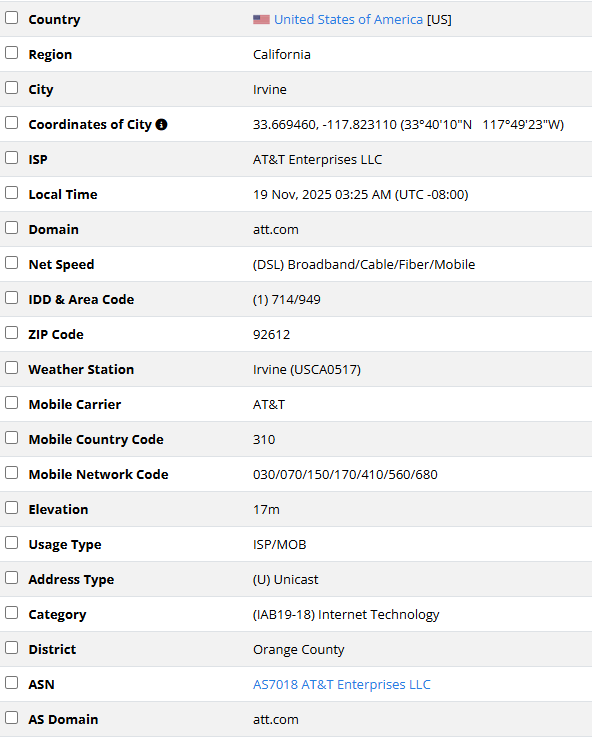
IP2Location test image

This is what people call Dual ISP.
Generally, a residential IP should show Dual ISP, and ideally both fields should match exactly.
Examples
By now you can likely decode common vendor marketing slogans. Here are two quick practice examples:
|
|
Now look at this IP quality chart:
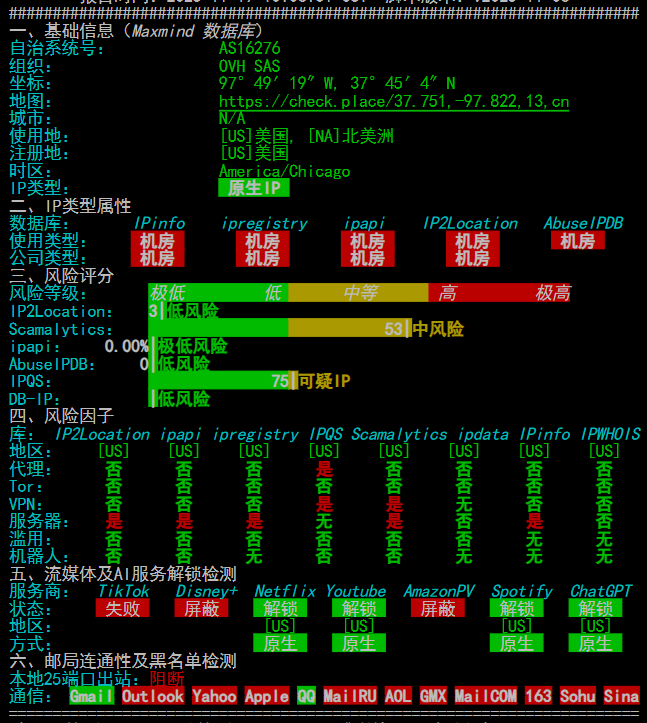
IP quality test script result image
Native IP, solid datacenter. Many databases mark this IP as server/proxy. Below you can see DISNEY+, TikTok, and Amazon Prime Video are blocked, meaning this IP can’t use Disney, and TikTok won’t work either.
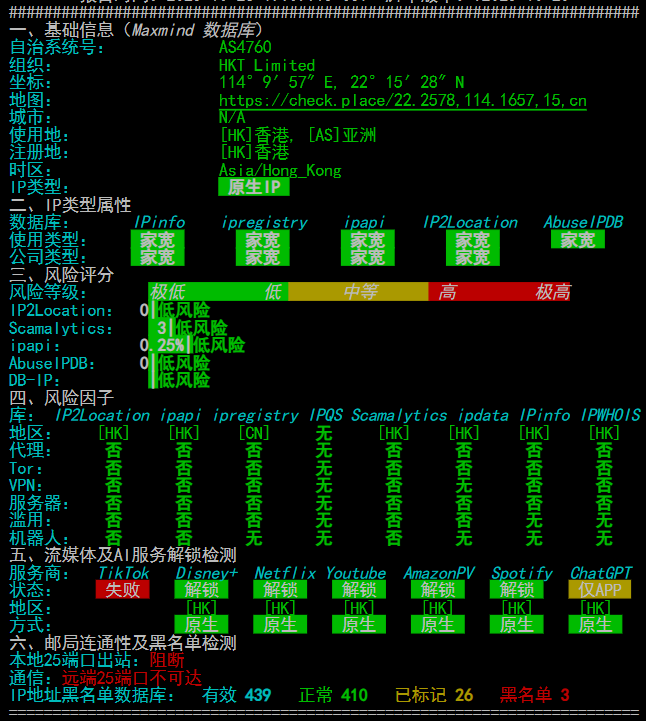
IP quality test script result image
image645×655 53.8 KB
Native IP, residential. TikTok is still not unlocked, but you can see it’s flagged as server/abuse far less than the example above. So why is TikTok still blocked?
I chose these images to show that streaming unlocks are only weakly correlated with IP quality but strongly correlated with region. Many US streaming services unlock easily, while HK often doesn’t—especially AI and TikTok; most HK IPs fail. Some “dirty” IPs with heavy risk controls can still unlock all streaming services.
In practice, you don’t need to chase IP quality for streaming. You can buy cheap DNS‑unlock nodes (DNS hijacking to unlock content); they’re stable and don’t randomly lose unlock status (some native-IP nodes do over time).
How to choose a fitting IP?
Beginners often blindly chase residential/native IPs thinking they’re always best. One trait of residential IPs is instability. Some people buy residential IPs just to watch YouTube and then wonder why it’s laggy—residential lines are naturally slower. Traffic going “through a home” can’t match a datacenter’s direct egress. So choose what fits your needs and don’t waste money.
In general:
Streaming ONLY -> Streaming unlock nodes (must be tested to know results)
Surfing YouTube/GitHub/AI -> Clean DC IPs suffice
TikTok/Amazon Ops -> Native IP suffices
Multiple reports confirm that a native IP is sufficient; residential IPs are just icing on the cake and not worth the extra cost.
Fintech/AI/Registration grid -> Residential IP (extreme risk-control needs, higher cost)
Big‑brand IPs sometimes work surprisingly well for AI. Even if heavily shared, AI services often don’t “degrade” or risk‑control them—somewhat mysterious.
This section will be expanded; content is currently messy.
3. Lookup Tools (Before IP Access)
Alright, time for the hands‑on part.
As discussed earlier, sites decide risk controls via public databases and private databases, so our goal is to check those databases directly. Private databases are never public, so you’ll sometimes see “the IP is clean in public databases but still risk‑controlled by the site.” That means you’re likely blacklisted in a private database. There’s little you can do except keep the IP clean across common public databases.
Below I’ll use a few IP examples to explain the checks in practice.
Assume we now have an IP: 162.141.117.175. What should we do next?
First, we need the IP’s location and basic info. Open ip2location. In my experience it’s the strictest geolocation database, with surprisingly accurate judgments. You’ll often see “four green, one red,” which hints at the IP’s true nature.
What does “four green, one red” mean?
If other databases mark it as residential but ip2location says datacenter, it’s a datacenter IP—no need to doubt it.

Query the IP after opening it:
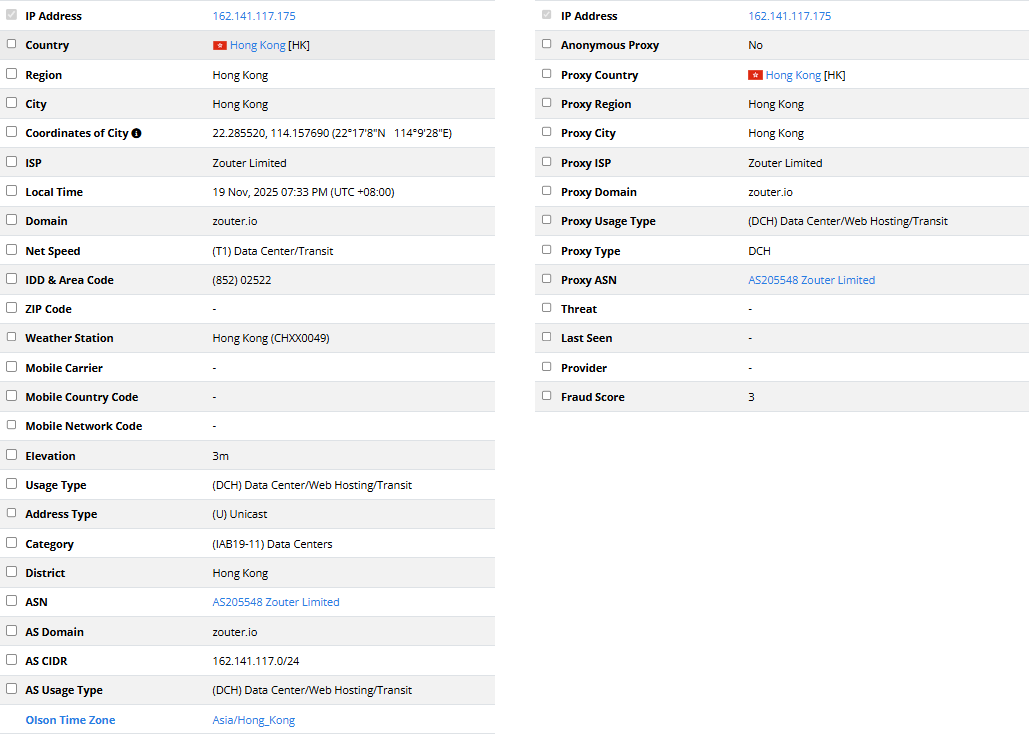
Focus on Region + Usage Type + AS Usage Type + ASN to determine the basics. Here this IP is in HK, AS is zouter, type is (DCH) Data Center/Web Hosting/Transit—clearly a datacenter IP. On the right, Proxy Data is mostly empty; Fraud Score is 3, which is normal—DCH IPs are often fixed at 3. ip2location’s Proxy Data isn’t very useful; sensitivity is low. As the name suggests, it cares a lot about geolocation but not much about abuse behavior—most IPs show “no abuse.” However, if it confirms VPN/abuse, that’s a big red flag because even a low‑sensitivity database flagged it.
Summary: Use ip2location to confirm geolocation and IP type (datacenter/residential/mobile/commercial). If it flags abuse, that’s a serious issue. In general, its location result is the “standard answer.” I’ve rarely seen exceptions—if you have one, share it.
Now that we know geolocation and IP type, let’s check risk-control status. Open ipqs. This database is extremely sensitive—opposite of ip2location. It focuses heavily on abuse and can be so sensitive that it misjudges. Heavy traffic or many connections can get recorded and quickly hit 100% risk. Use it as a directional indicator: if ipqs says an IP is clean, it’s usually clean; if it says risky, it may still be okay. In practice, if only ipqs shows 100% risk and other databases are clean, usage impact is often minor.
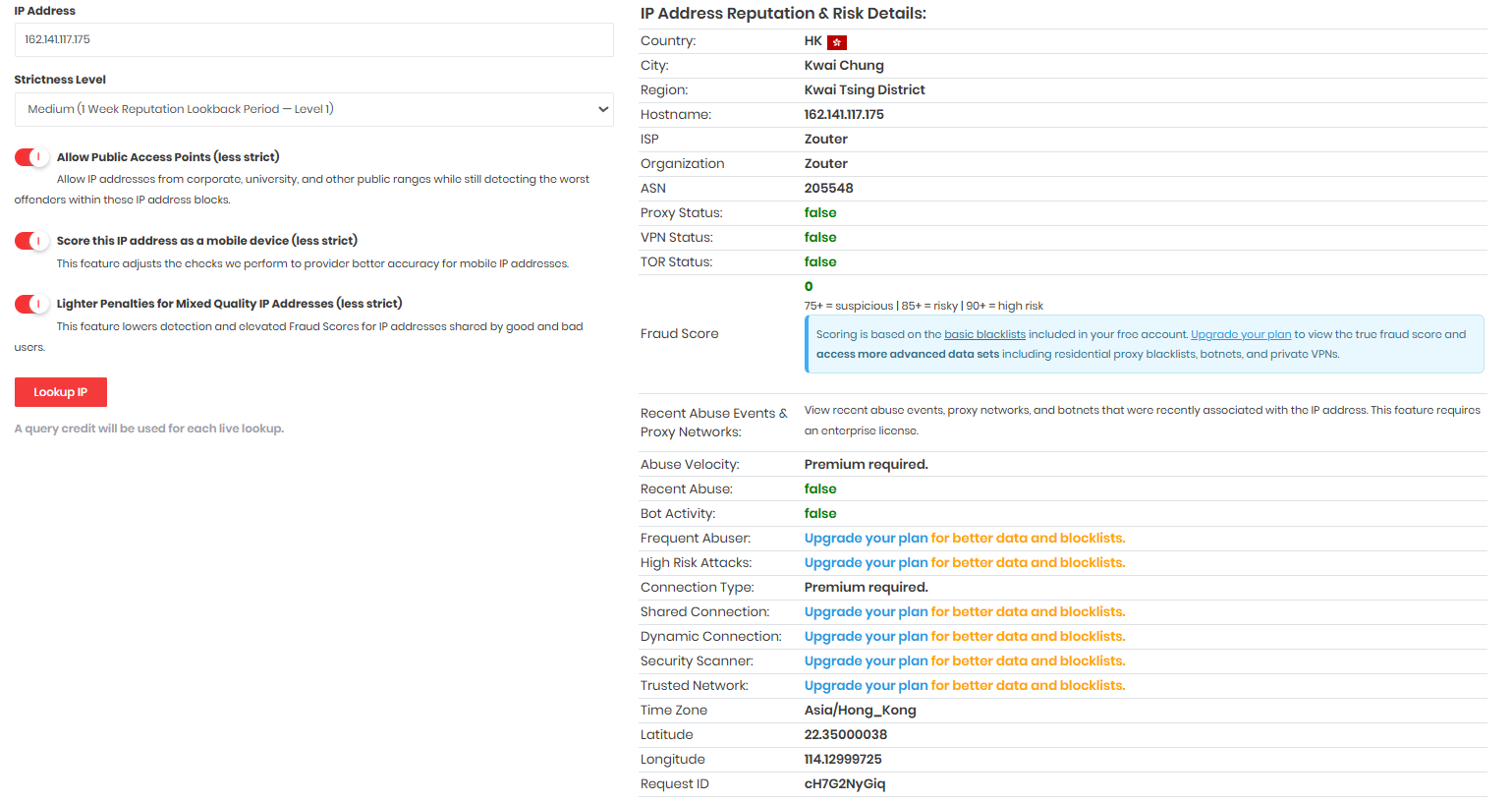
Many features here are paid; we only need to check:
|
|
That’s enough. For example, the IP above shows no harassment. There’s also a feature that shows detection intensity.
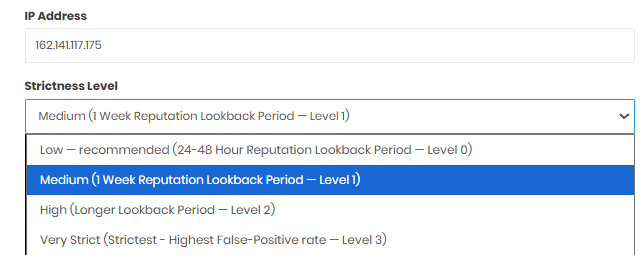
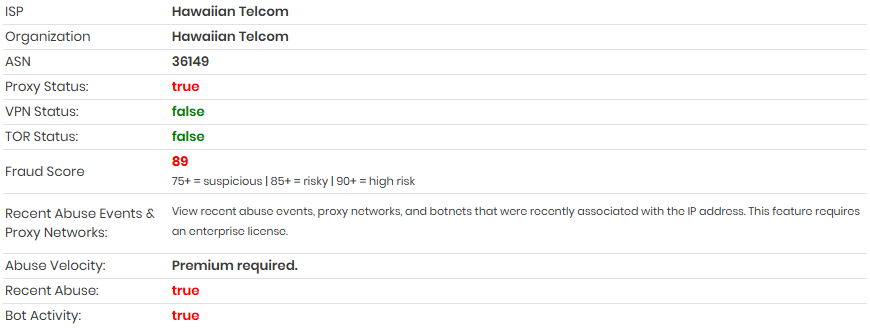
IP quality script uses low while the default is medium. You can see both recent days and historical evaluations; it’s handy. For example, this IP:
- Risk control status in the past two days
- Historical risk control status
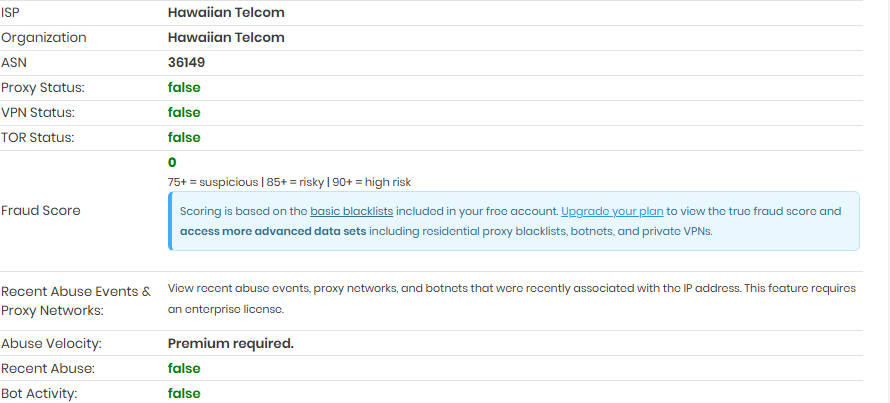
This IP looks fine in other databases and works fine in practice.
Summary: If ipqs marks an IP clean, it’s usually truly clean. If it marks it risky, it may not actually be risky. ipqs isn’t used as widely, so treat it as a reference.
Now that we understand an IP’s overall status, let’s check native vs. broadcast.
Open ping0 and look up the IP.
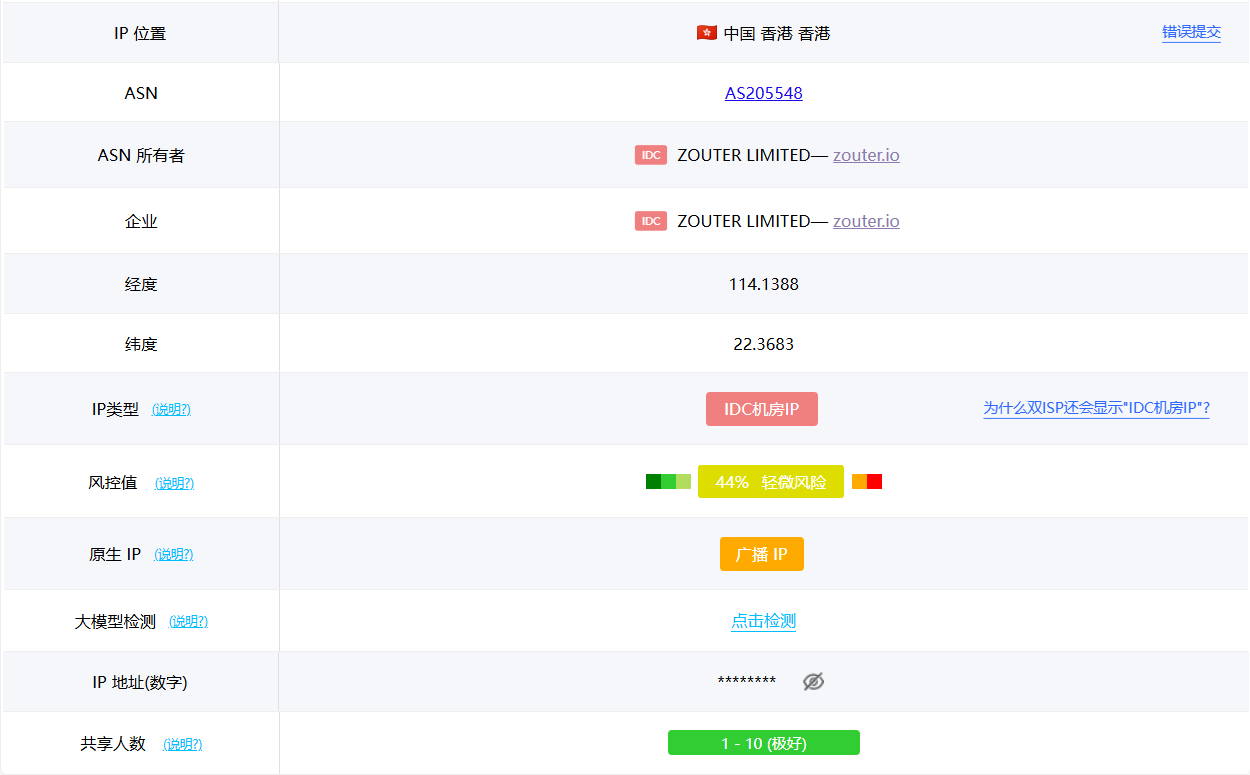
ping0’s ASN judgment is highly accurate (ASN + owner + organization data), so its native/broadcast determination is reliable. Use it to check whether the IP is native or broadcast and which ASN it belongs to. In this case, you can see it’s a broadcast IP. Beyond that, ping0’s IP type/ASN attributes/risk score/shared user count/LLM detection info are not accurate and have little reference value. ping0 is essentially a “for fun” database that other sites don’t use. The first two databases above are widely used and practically meaningful.
Summary: ping0 is best used only to check ASN and native vs. broadcast.
Then open ipdata to check abuse flags.
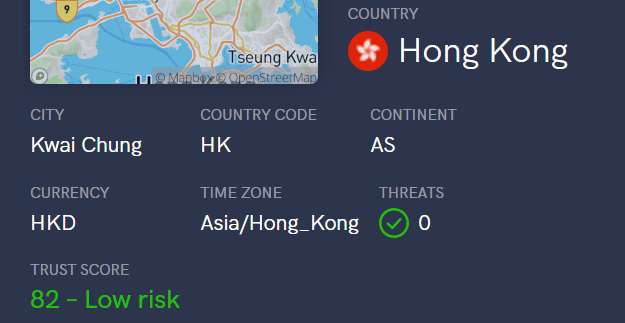
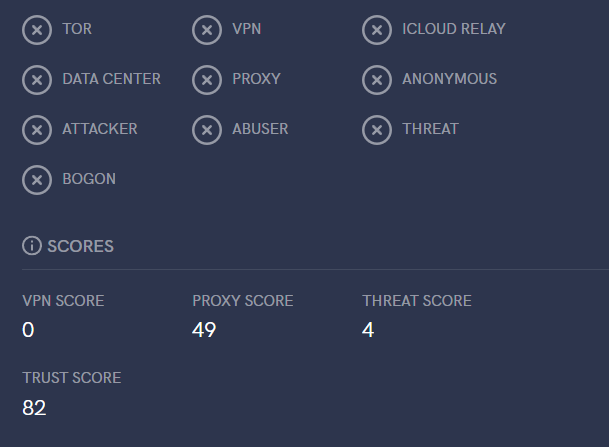
ipdata is mainly for checking whether there’s abuse—specifically the Threats section. The scores below aren’t very accurate (high or low), so just look for abuse/tor/proxy flags. If Threats = 0, it’s generally fine; if flagged, it’s a penalty.
Then open Scamalytics to check abuse.
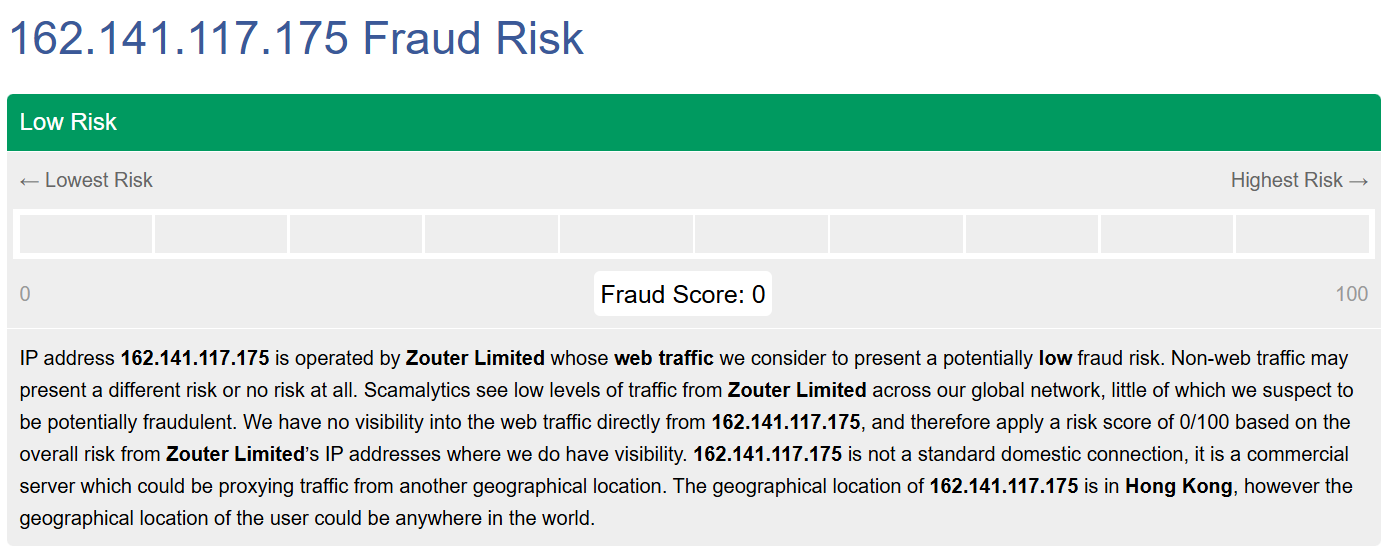
image1390×550 53.4 KB
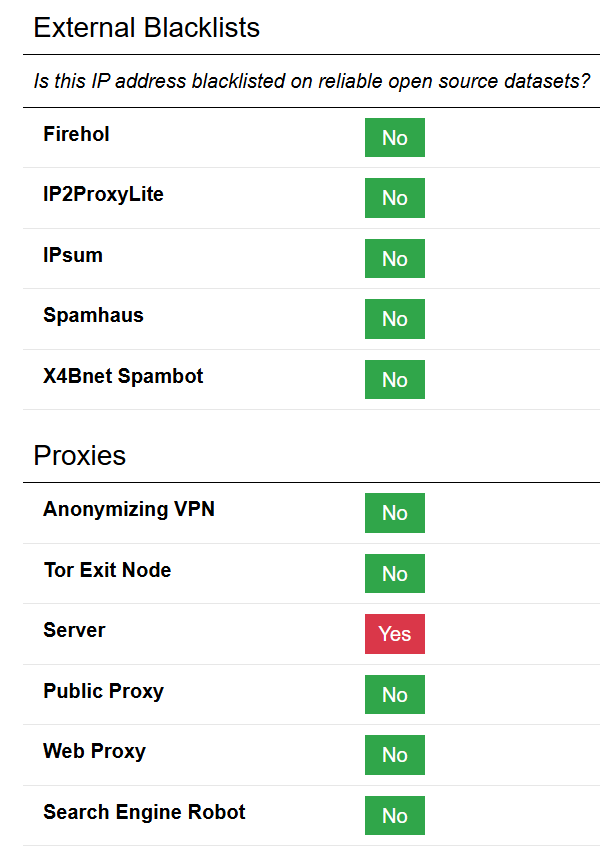
image600×853 19.5 KB
This database specializes in spam/abuse. A low score isn’t necessarily good; a high score usually means it’s bad and likely to trigger Cloudflare. Residential IPs often score 5–25 rather than 0 (based on testing 10+ home‑cloud nodes and 100+ residential IPs). Be sure to scroll down for abuse details—low score ≠ no abuse.
“Home cloud”: servers hosted in real U.S. homes—true residential IPs.
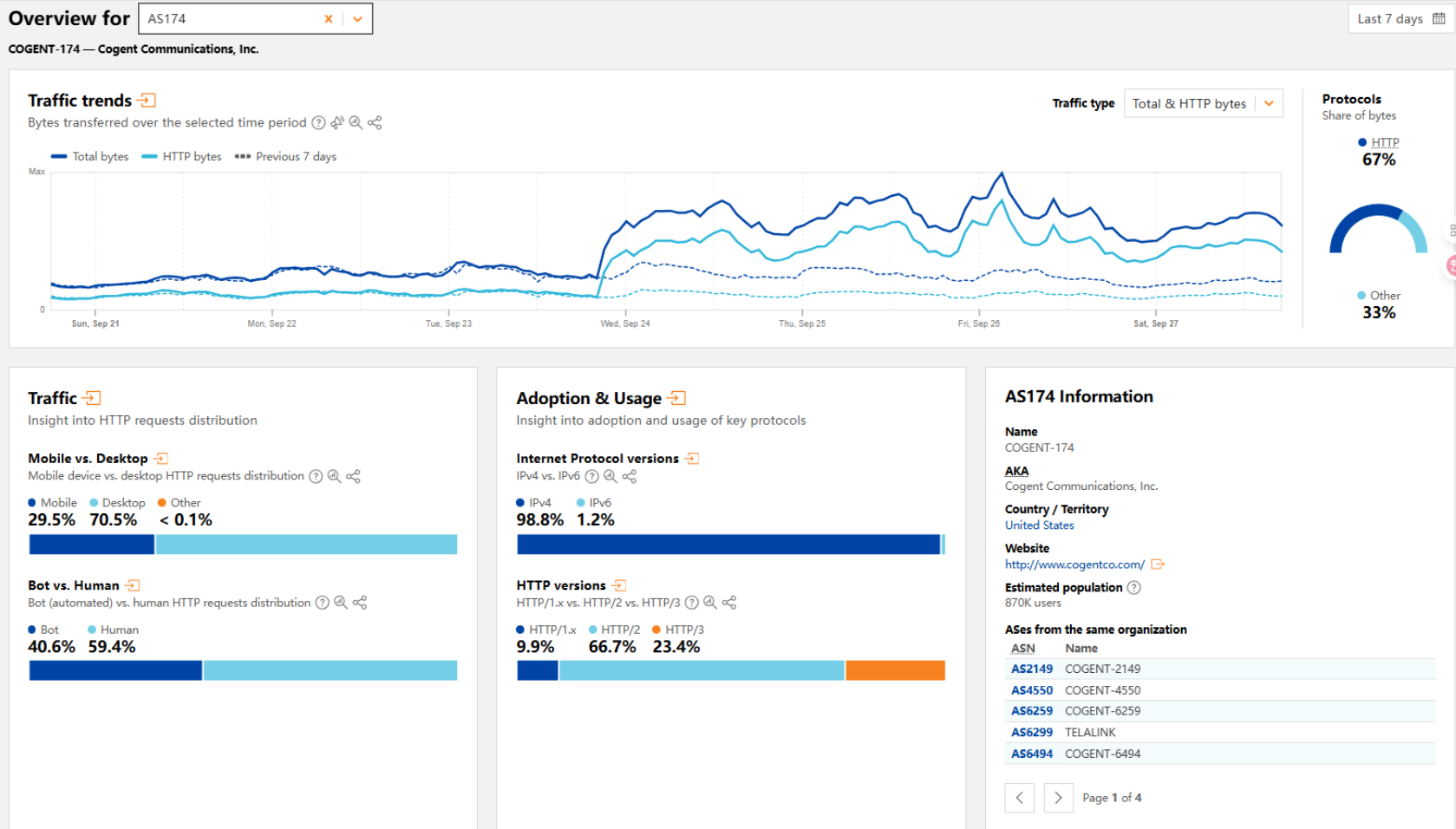
Next, open Cloudflare Radar to see the bot vs. human traffic ratio. Since Cloudflare is a major CAPTCHA source, its results heavily affect challenge frequency, so it’s worth checking.
After opening it, enter the ASN you want to check (you can get it from earlier sites; here we use DMIT AS906 as an example).
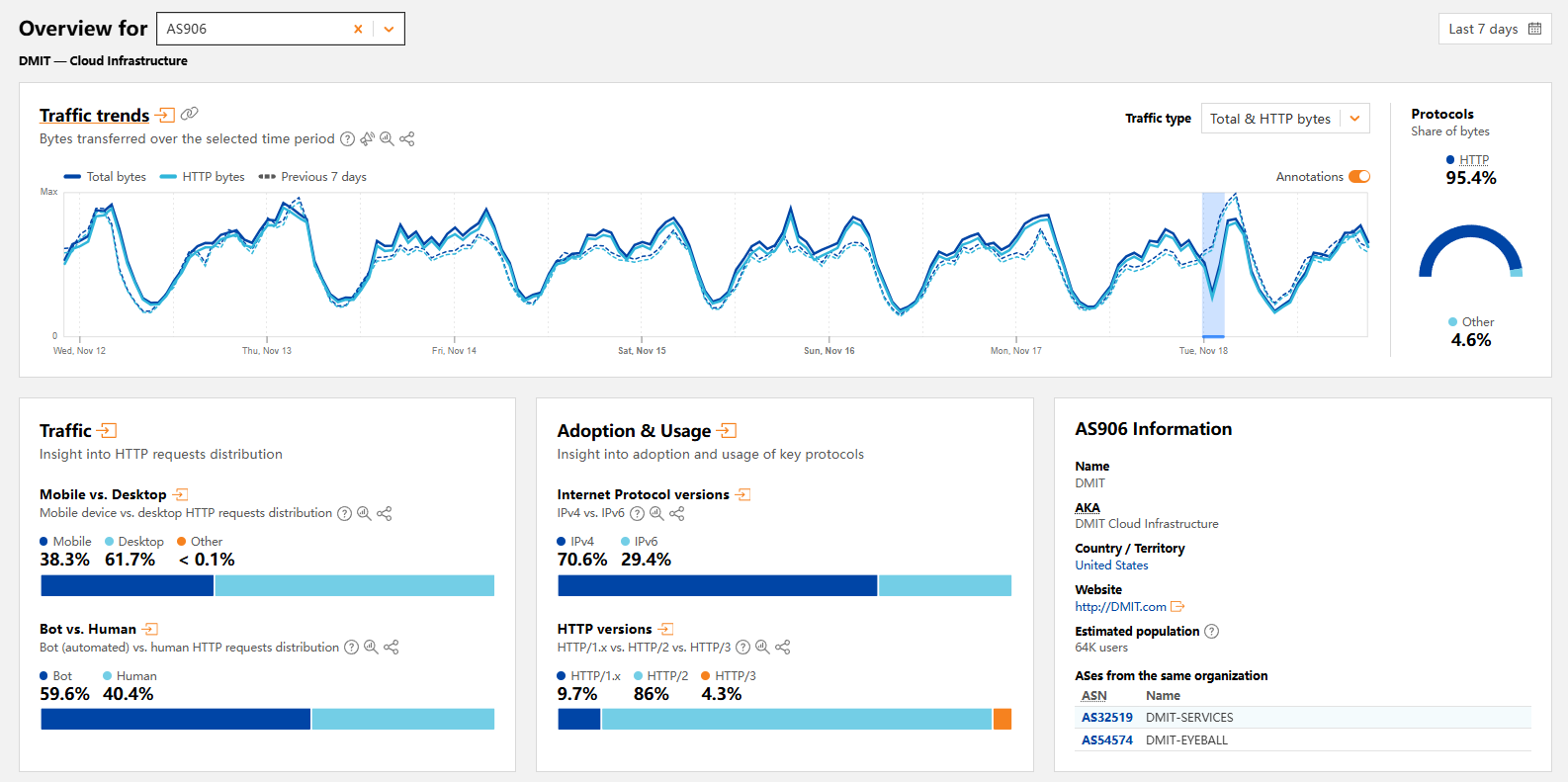
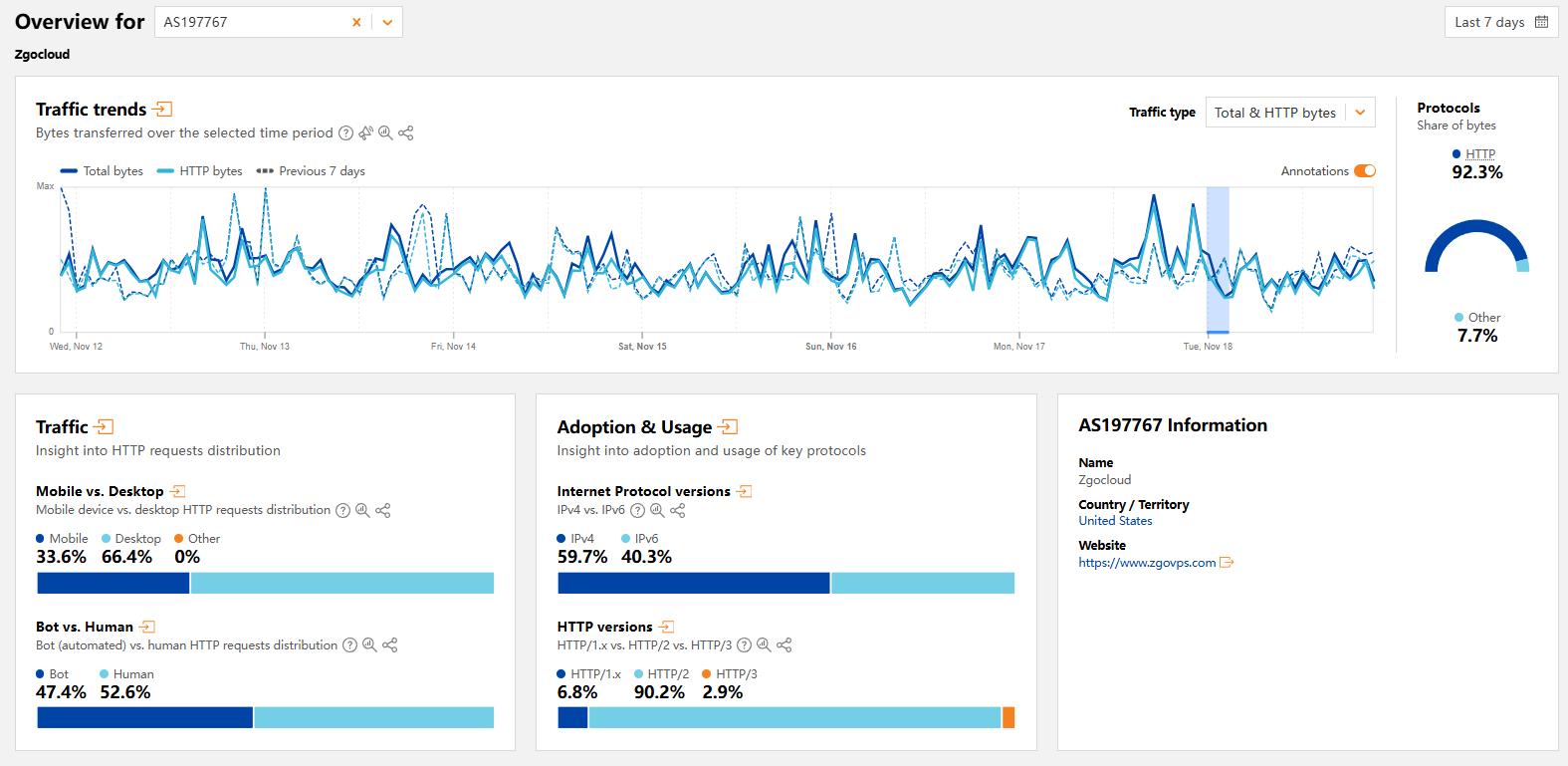
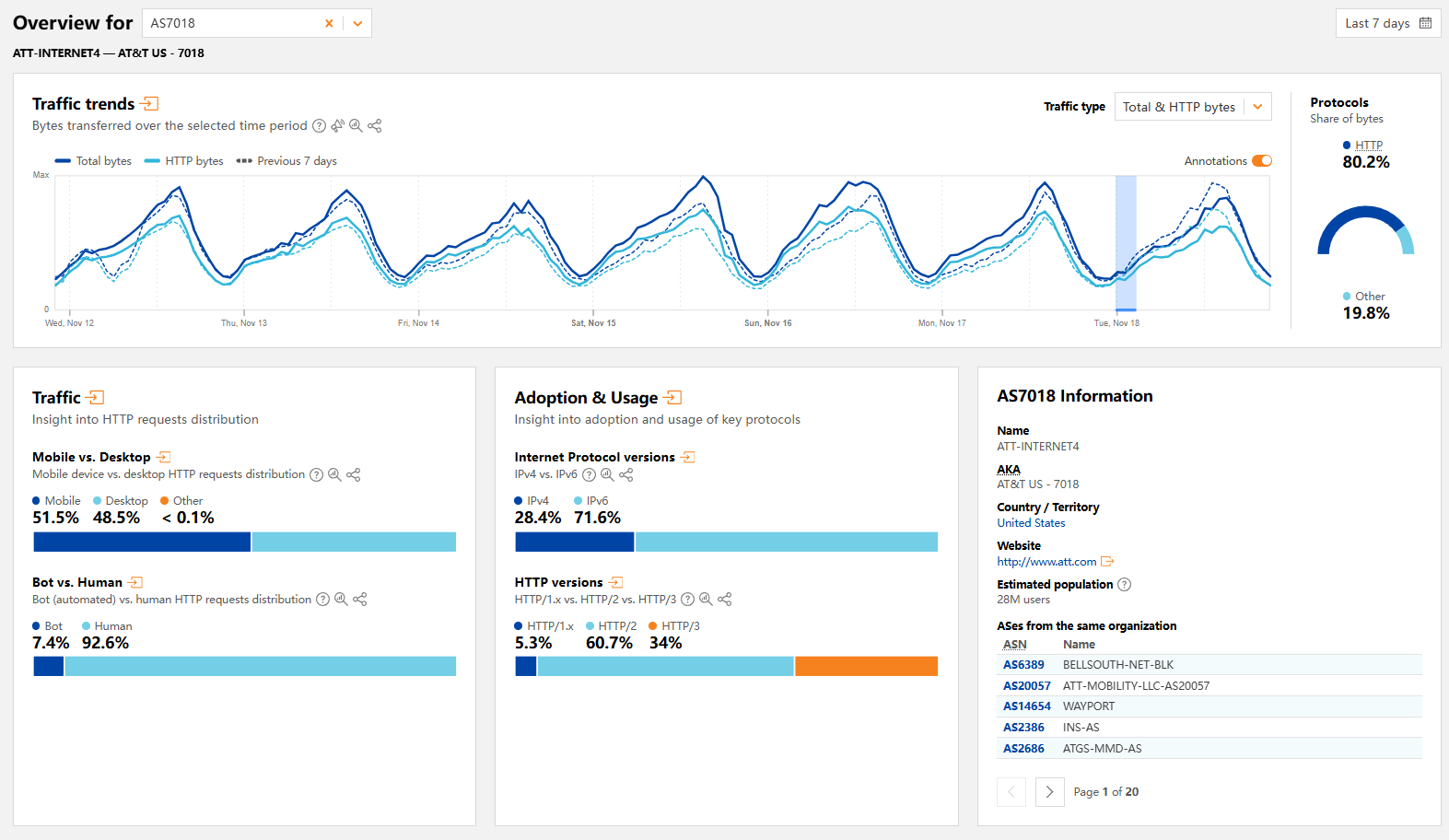
Then focus on Traffic → Bot vs. Human.
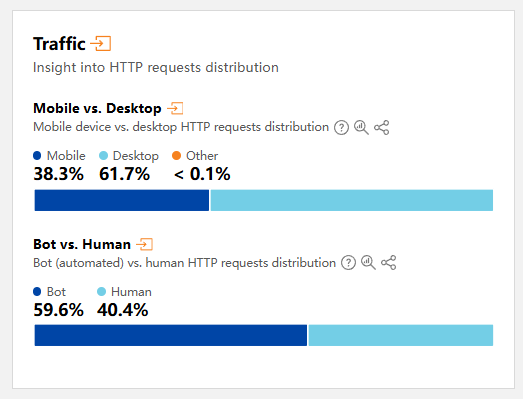
Zgo’s IPs often trigger challenges—bot traffic can reach 50% there. No wonder they get challenged.
AT&T residential IPs show almost no bot traffic.
AWS IPs—heavily abused—are almost all bots. Still, big‑brand IPs can be usable in some cases; rumor has it that AI services often go easy on them and don’t throttle much.
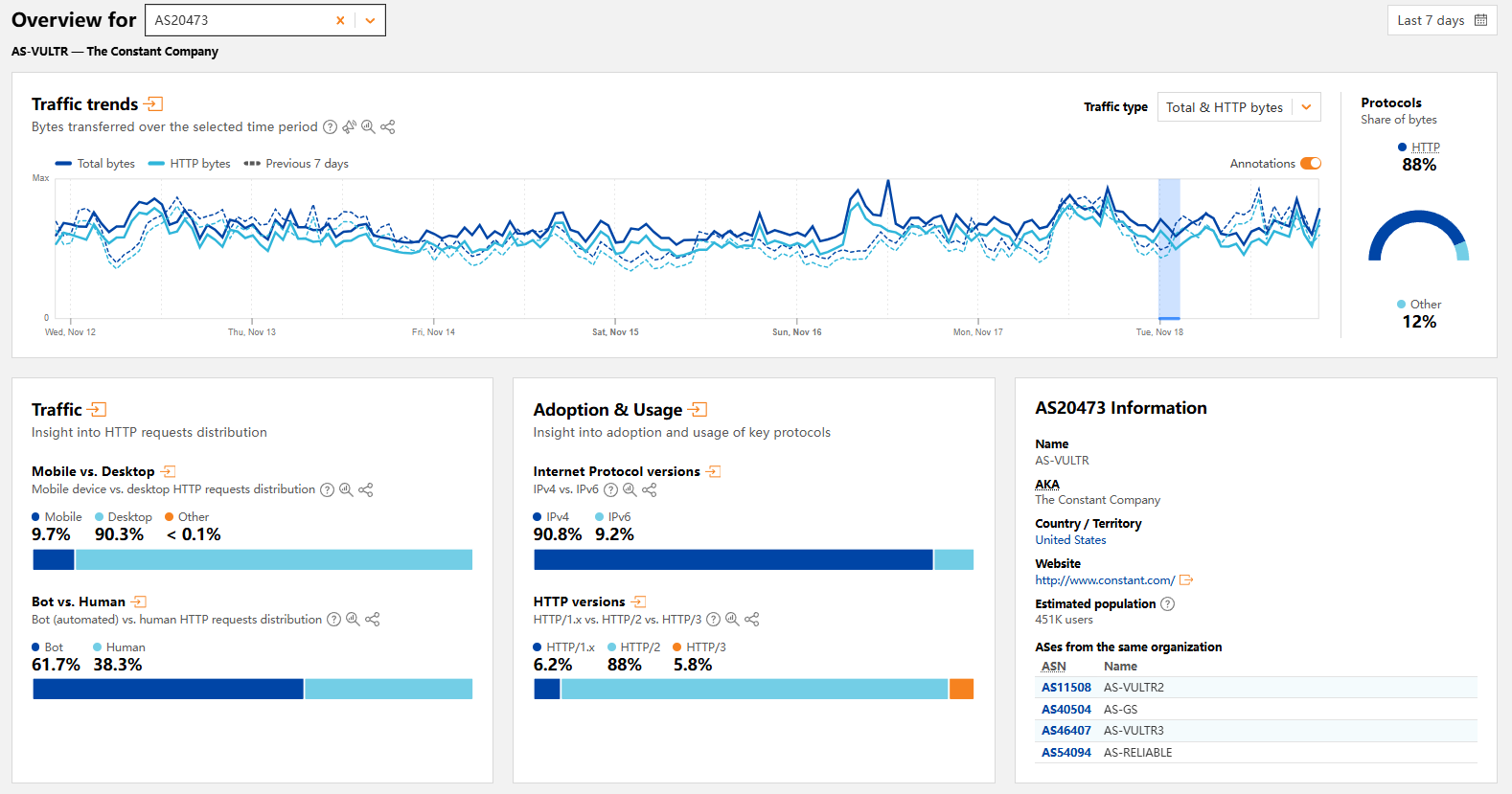
Cloudflare mainly helps estimate the likelihood of challenges.
At this point, the common checks are done. Going further wastes time and adds little value.
Below are auxiliary methods with low reference value and why I don’t use them:
iplark: A “for fun” database, basically a beefed‑up ping0. ISP classification isn’t accurate. It does aggregate geolocation from many databases, so you can check location.
maxmind: Professional database, but without payment you can barely query anything, so I don’t use it.
ipinfo: Professional database but not distinctive; I also found ISP and geolocation judgments sometimes problematic.
pingip: Even worse—less useful than ping0.
To be expanded.
4. Verification Tools (After IP Access)
Careful readers will notice there’s no direct streaming‑unlock test above, because streaming requires actually accessing the services with the IP. You need control of the IP; next I’ll show how to check when you do.
Access grants the deepest checks via real page testing. You can query many things, but actually visiting sites with the IP is the strongest and most accurate method; everything before was just public database output.
First, log into the server and run:
|
|
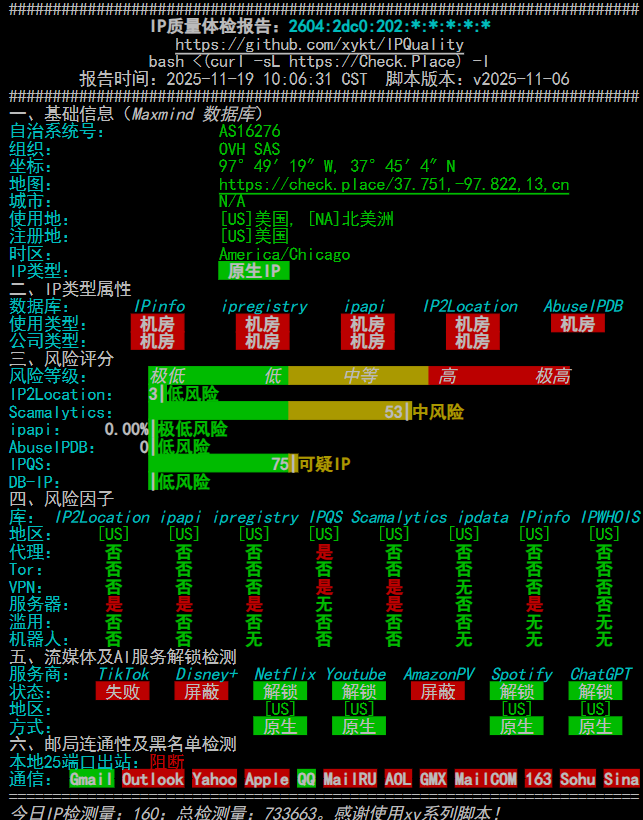
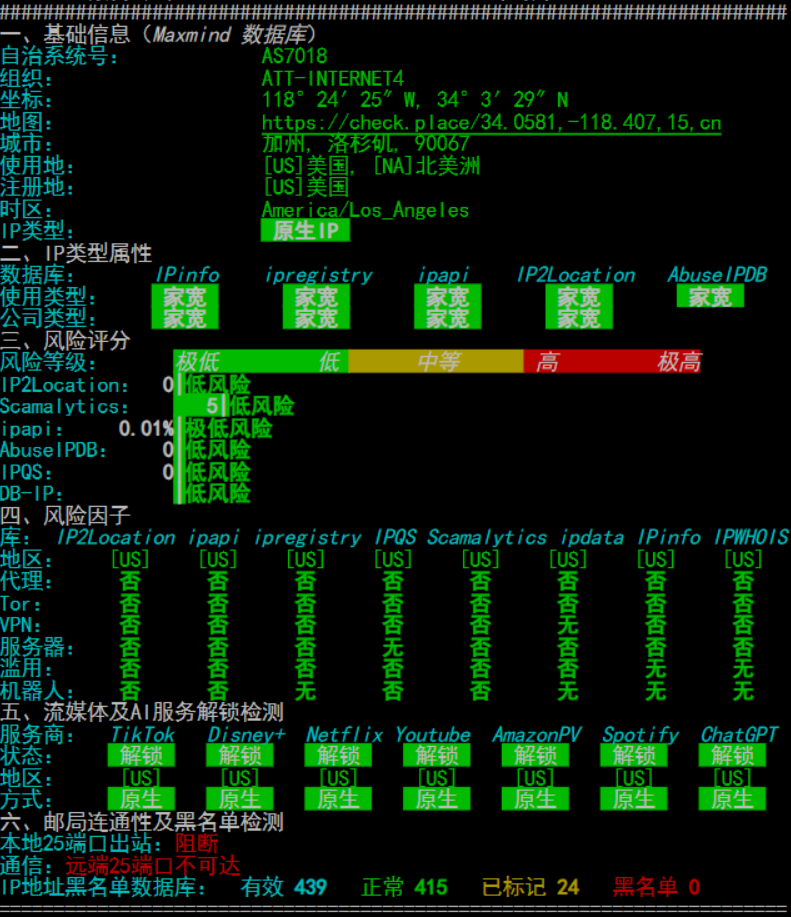
This makes it easy to get IP quality results, including common databases and common streaming unlocks.
If you need broad, comprehensive streaming tests, consider using:
|
|
It tests common streaming services across regions, but the most accurate method is still to access the services directly with the IP.
With streaming checks done, let’s continue with IP quality verification.
From here on, assume you’re using this IP to access sites with Google in Incognito mode.
First open Google in Incognito mode, visit Google, and search anything.
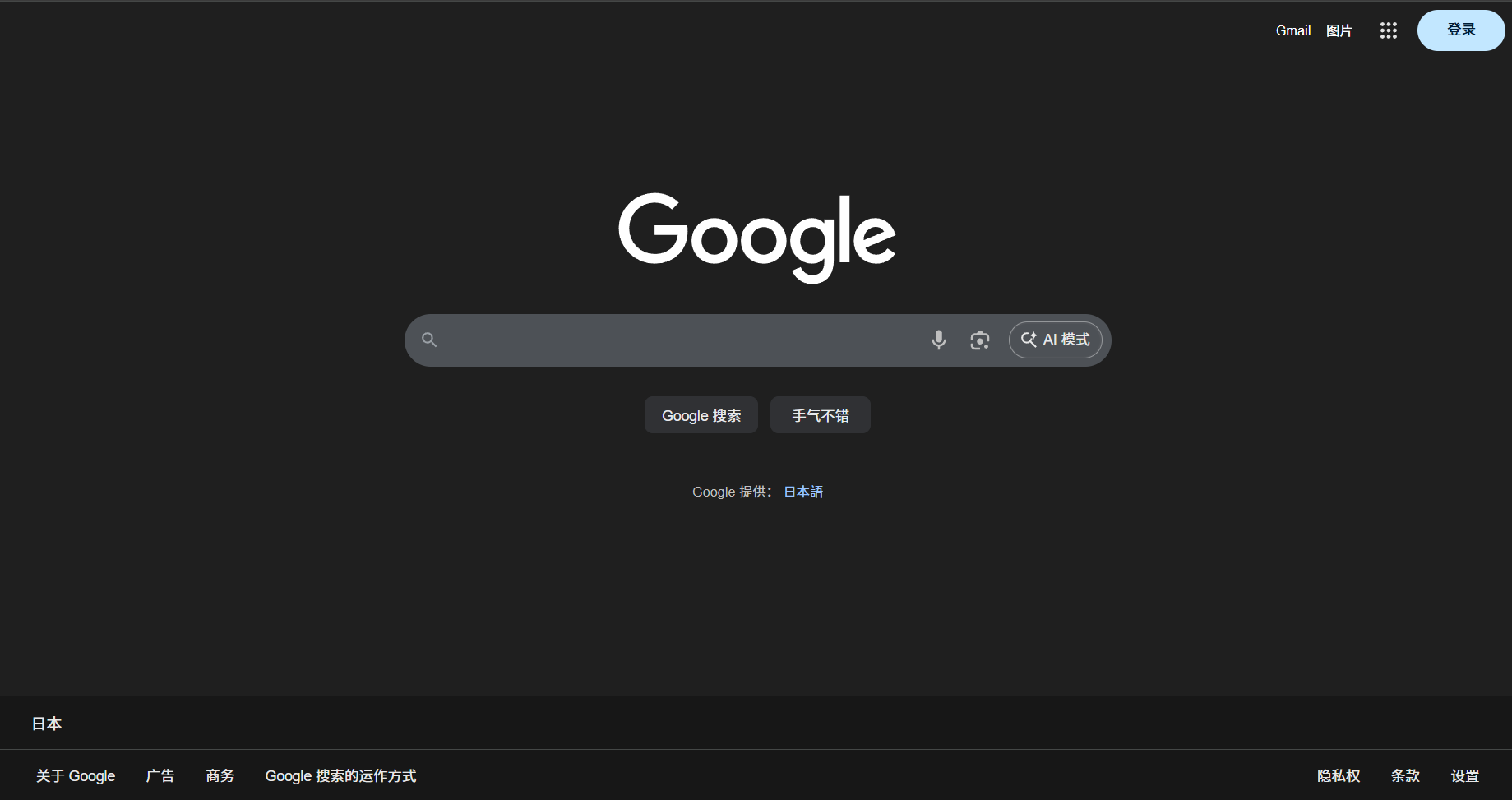
If it returns:

Then the IP is truly dirty—Google thinks you’re a bot and blocks search. That’s a severe penalty; this alone can “sentence” the IP in terms of usability.
Some people use “no‑SMS Gmail signup” as a test. It’s not very accurate, too black‑box, and I don’t recommend it.
Still in Incognito, open Reddit.
If you can enter directly, it’s fine.
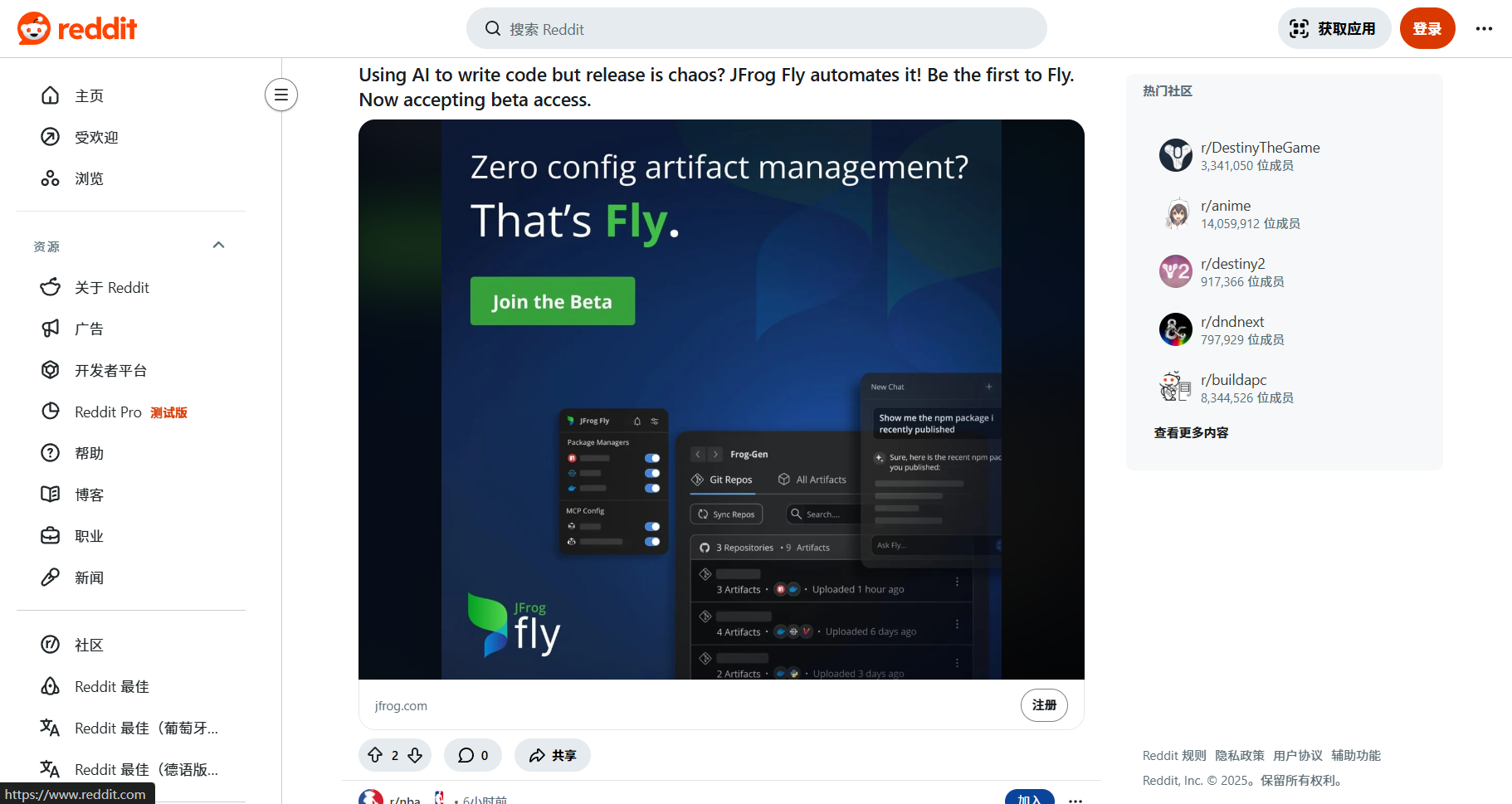
If it returns:
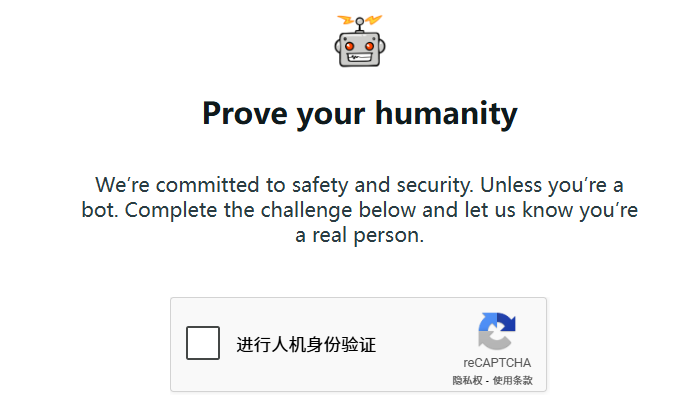
or
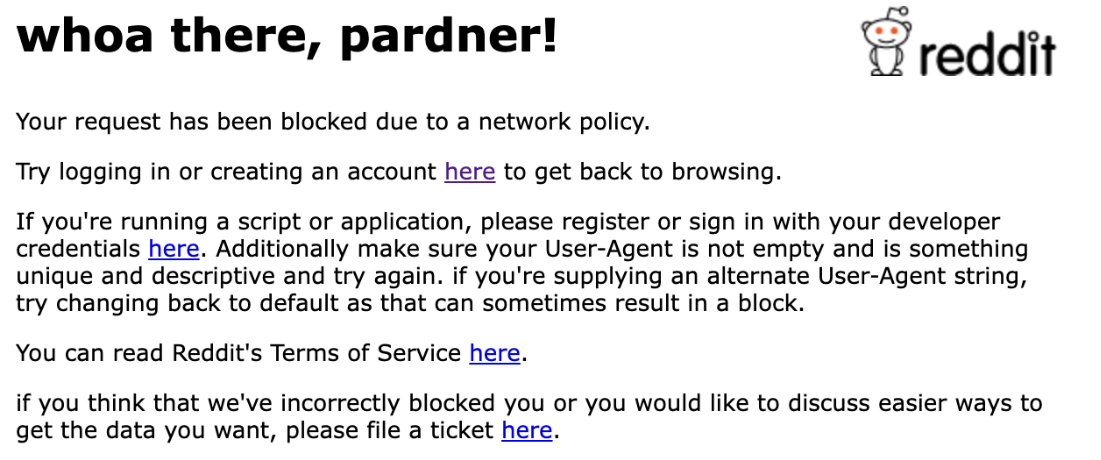
That’s also a penalty—medium severity, lighter than Google’s challenge.
Still Incognito and not logged in, open YouTube. If it plays without a CAPTCHA, it’s fine. If it shows:
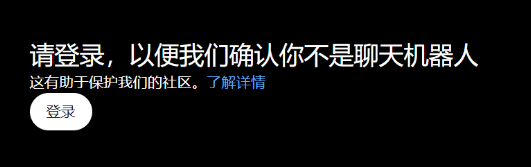
That’s a medium‑severity penalty.
Open Claude. If there’s no CAPTCHA, it’s fine. If you can register without SMS verification, that’s a bonus.
Open ChatGPT. If:
- no CAPTCHA
- can chat without logging in
then it’s normal.
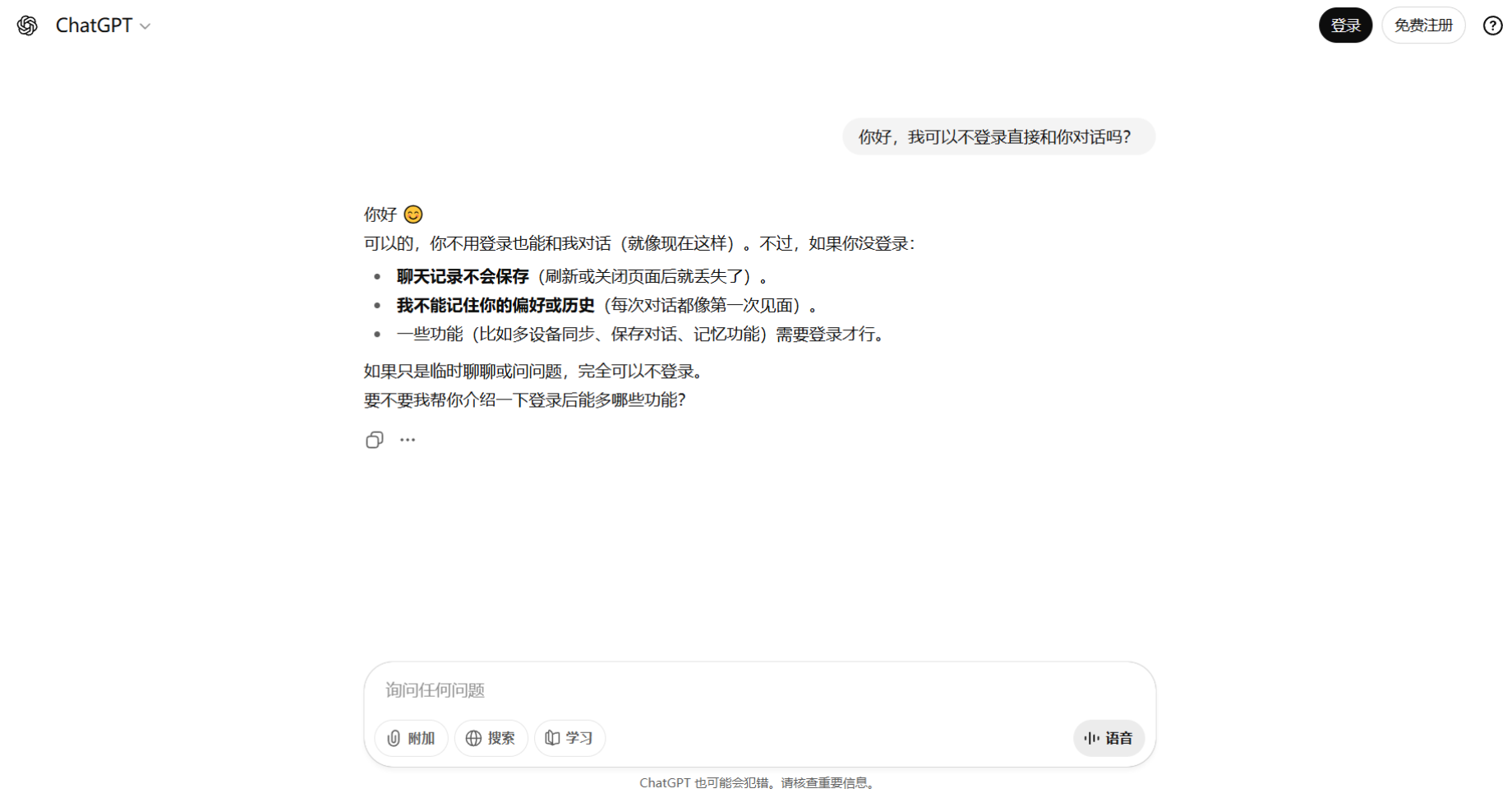
Otherwise it’s a penalty.
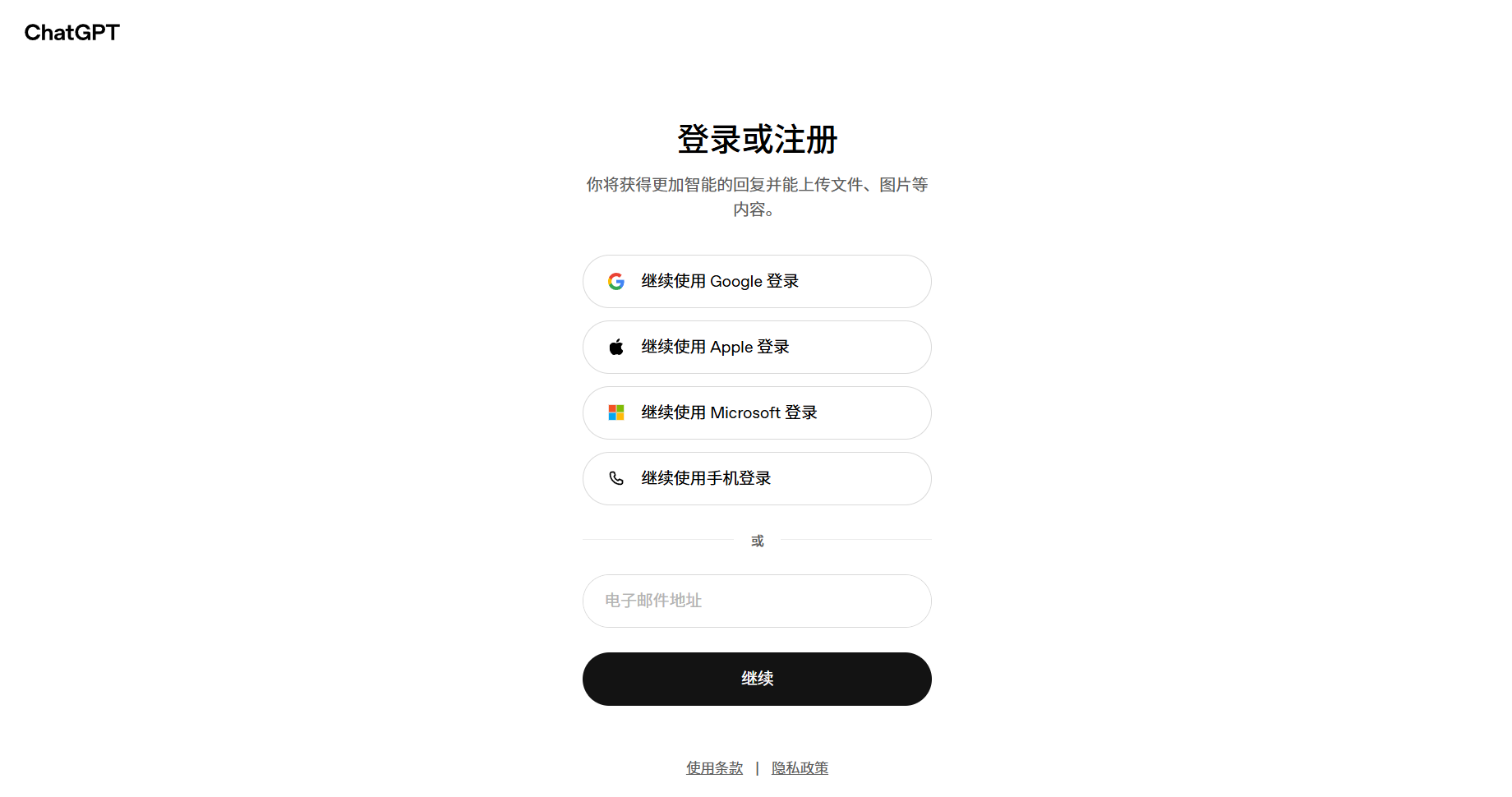
image856×902 34.6 KB
Note: Failing to open Gemini/Meta doesn’t necessarily indicate poor IP quality. This is often due to “sent to China” behavior—private databases mark the location as CN, making them unusable. There’s no real fix. My workaround is to use a niche US East local provider and route only Gemini through it (not other Google services). After 3 months, Gemini remained fine, while Meta still got “sent to China.” Subjectively, Gemini seems tied to Google’s geolocation, while Meta is affected by Chinese Q&A and usage patterns. Entire IP ranges often get flagged together, so you can be impacted by neighbors even if you did nothing.
Some people use “L‑site” to check IP quality, but it’s not very accurate. Its risk control is odd—rare regions get challenges regardless of cleanliness, while common regions often pass.
That’s basically it for common checks. As always, the best method is to actually access the site with the IP, because private databases are not public and you can’t fully determine the IP status otherwise.
5. References & Random Thoughts
This article contains a good amount of practical content and is the final piece in the “3+1+1” Cat VPS section. That’s about all the basics for MJJs. I haven’t covered much about “site‑building servers” because I’m not very interested in that area. Beginners who read these five articles should gain a nearly complete understanding of common VPS types and query methods, avoiding many detours. The content is time‑sensitive and will be updated occasionally to keep it reasonably accurate.
IP quality checks aren’t “once and done,” and no single site covers everything. Each has strengths and weaknesses—take the best from each and stay observant.
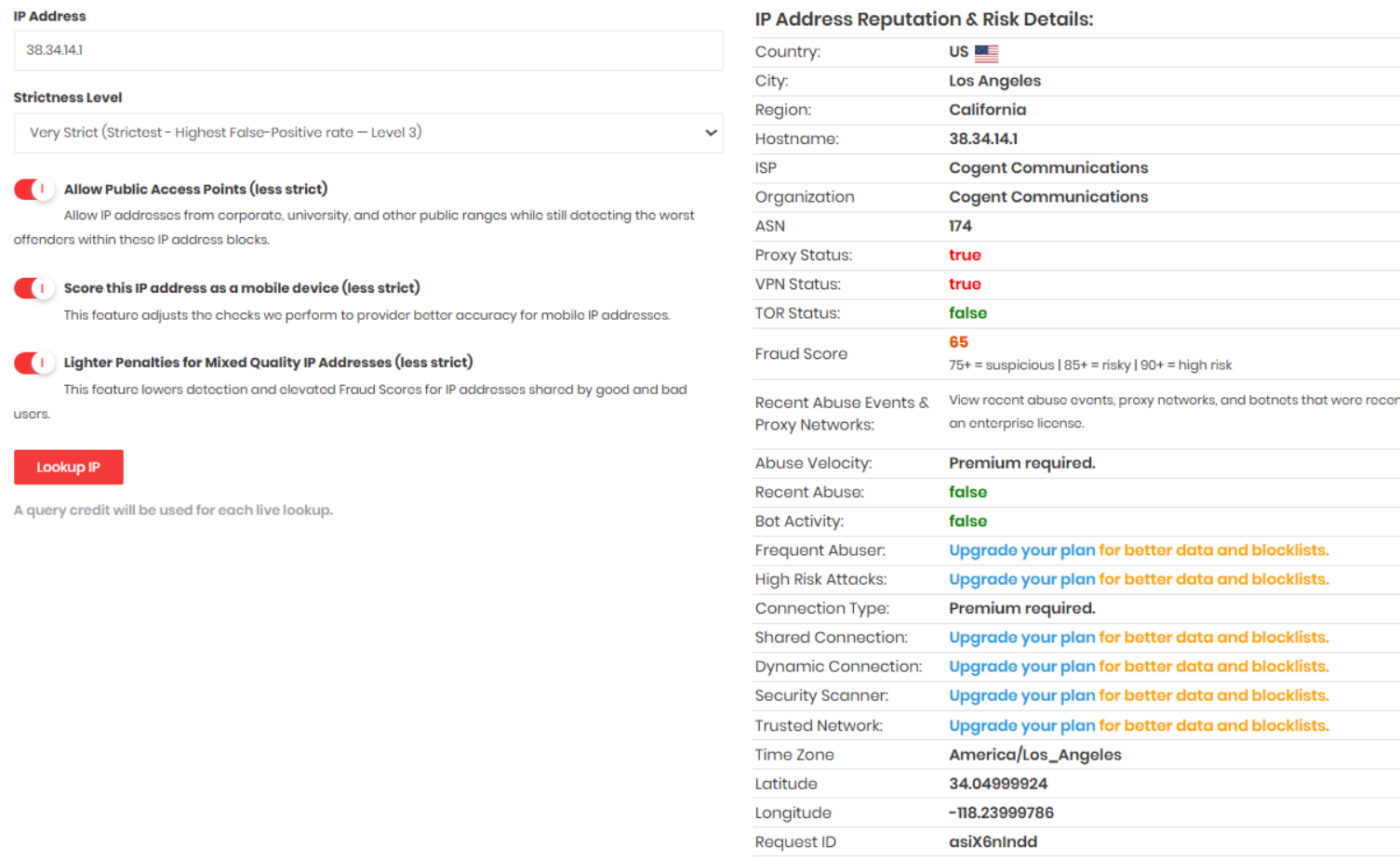
What exactly is a Fake Residential IP? It’s an IP that some databases mark as residential but is actually datacenter. Common examples include Cogent/GTT/NTT. These IPs are often marketed as residential by local vendors, but in professional databases they’re clearly datacenter IPs and may have abuse history. Users pay a premium for “residential” IPs to run TikTok/Amazon, then get throttled or blacklisted—frustrating and unfortunate.
For example:
Classic Cogent fake‑residential IP range: 38.x (e.g., 38.34.14.1)
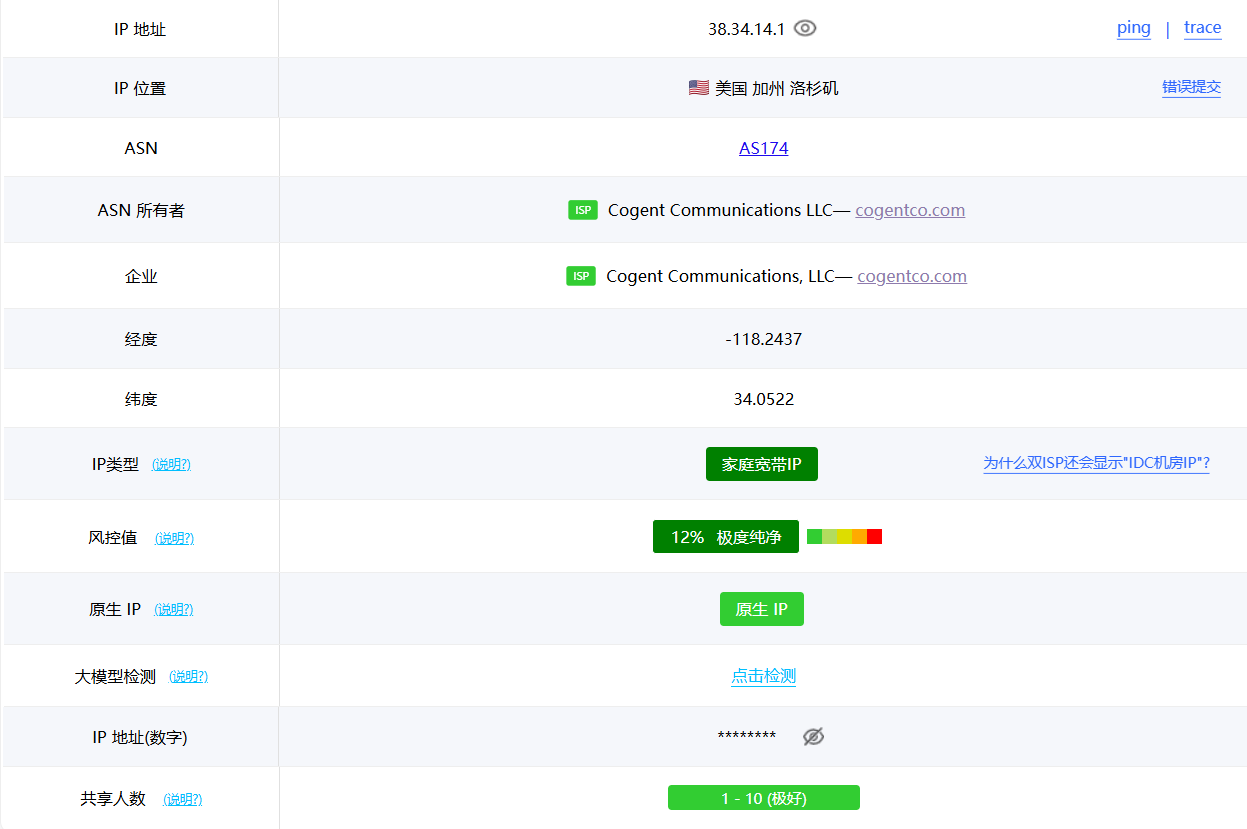
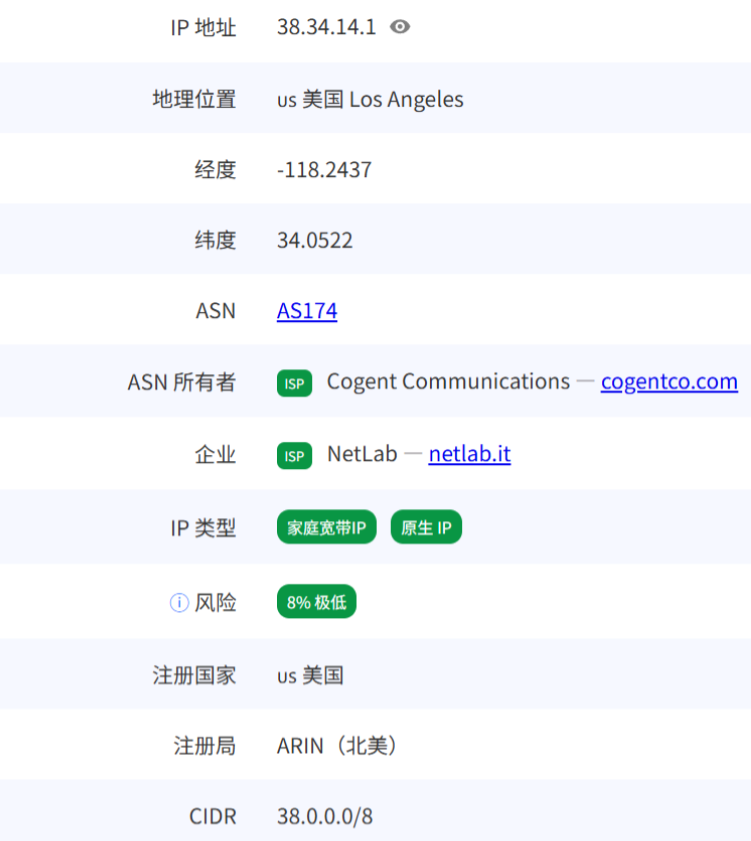
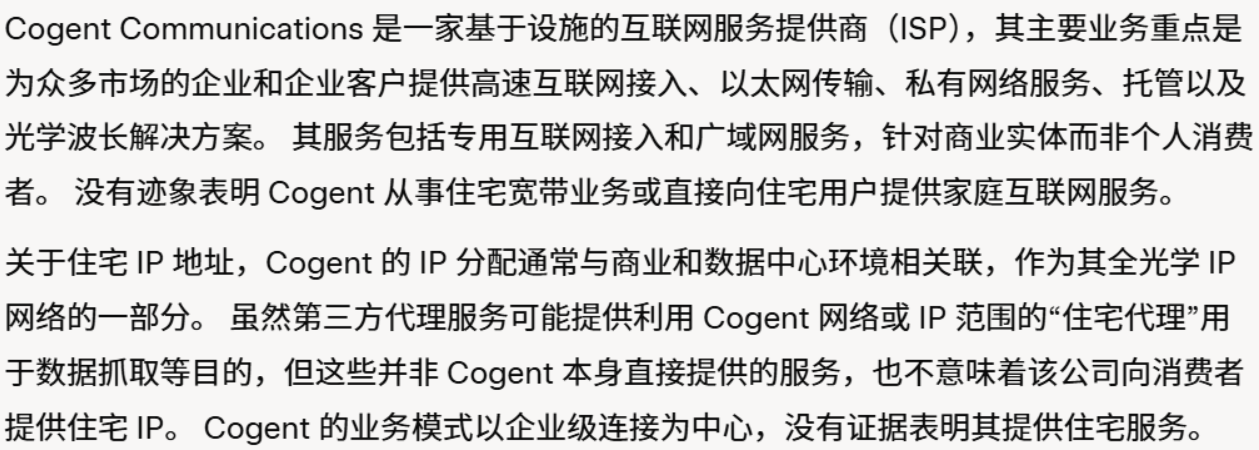
Open any professional database and you’ll see it’s a datacenter IP. Cogent is a pure datacenter carrier and has never been in the residential ISP business—so it cannot be residential broadband.
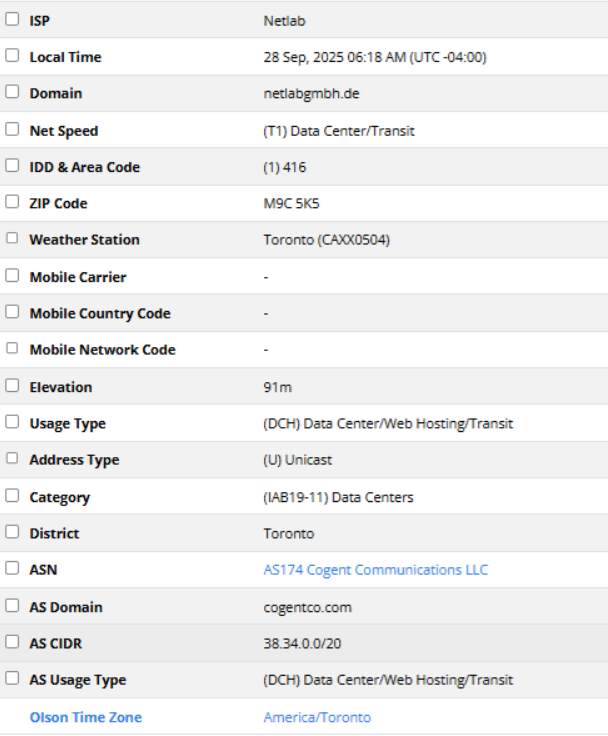
So why do some local databases misclassify things that public databases agree on? The answer is hidden in the image below and in those “IP check” site ads.

This article may have omissions or errors—please point them out and I’ll keep updating.
Finally, three “life maxims” for MJJs:
- The ultimate verification is “Buy first, benchmark, then refund”—wait, it’s non-refundable annual billing again.
- The “Fake” in Fake Residential means short for “The Great Cogent Datacenter”.
- When every IP check site says your IP is datacenter, don’t panic—maybe all eight sites are wrong and only the paid local database is right.