- This article is reprinted from https://v2rayssr.com/reality-2.html
Preface
You might have heard of the Reality protocol long ago. No domain, no certificate required, easy deployment, low cost. Many say it’s “low profile, safe, difficult to identify.” But why do you always get zero speed test results, instant disconnections, or handshake failures? Why in 2025 do many people still recommend this protocol? Do you know the real reasons behind handshake failures and zero speeds?
Video Demonstration

Preparations
-
One VPS, reinstalled with major operating systems; Debian 12 recommended. (VPS in this video demo is from BandwagonHost CN2 GIA, while budget users are advised checking Akkocloud)
-
RealiTLScannertarget website scanner Releases Page- For macOS M-Chip: Download v0.2.1
- For Intel-Chip: Download v0.2.1
- Windows/Linux users download per arch.
-
Reality protocol target website checking tool Releases Page
- Project: Visit here
Setting Up Reality Nodes
Project: Visit here
Finding Target Domains
Domain Conditions
Base terms:
- Avoid using jumping domains (domains that complete with redirects).
- Must support TLS 1.3
- Must support X25519
- Must support HTTP/2 (H2)
- Must match SNI accurately
Bonuses:
- Try avoiding nodes resting behind CDNs.
- Try avoiding heavily populated pages.
- Opt for small TLS handshake delay factors.
- Close node IP (Check utilizing RealiTLScanner tool).
How to Locate Target Domains
Use the RealiTLScanner tool, scan VPS creating file.csv exports using commands below:
|
|
Important Notes:
- Run RealiTLScanner locally whenever possible, rather than on remote nodes.
- Change output name inside consecutive runs to avoid overwrite failures:
file1.csv,file2.csv, etc.
Batch Verifying Target Domains
Check exports using the Reality Target Checking Tool. Automatically weighs up base terms alongside bonus attributes:
|
|
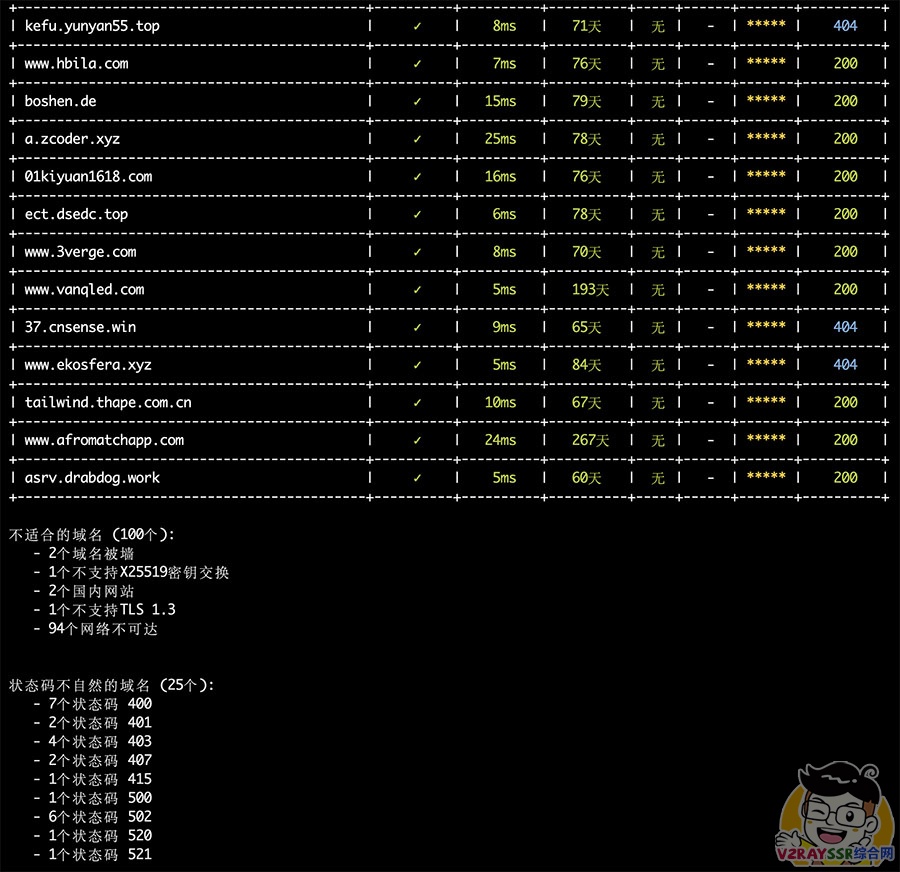
Deploying S-UI Panel
Project: Visit here
Deployment commands:
|
|
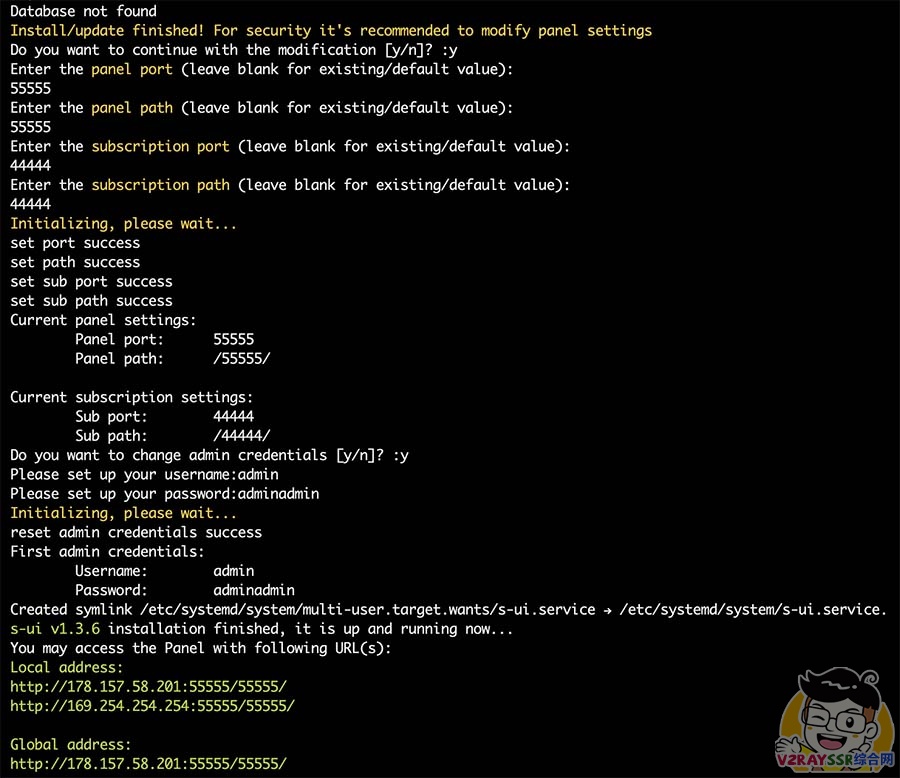
Important: If you haven’t applied for domains or certificates, avoid accessing via straightforward HTTP to mitigate exposure risks before SSL logs save successfully!
Establish remote encrypted tunnel setup first locally before configuring node sub tier controls:
|
|
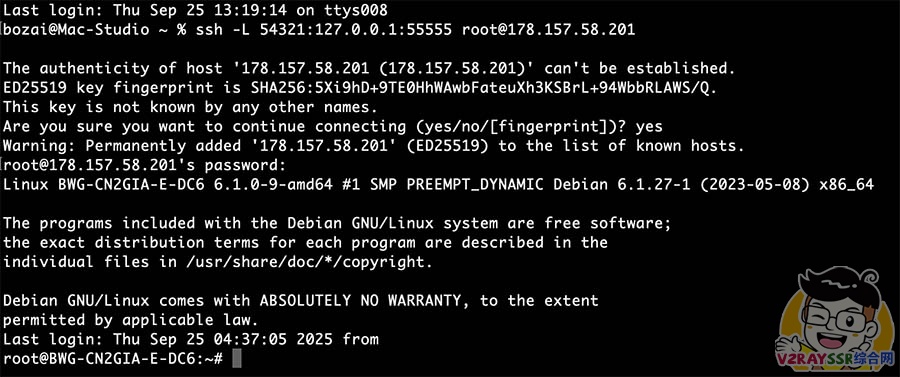
When the shell echoes #, tunnel establishments succeeded.
Now visit absolute
http://127.0.0.1:54321/55555to setup. Keep tunnel sessions open while doing setup node modifications prior to SSL deployment completion fully securing directly buffers thereafter safely.
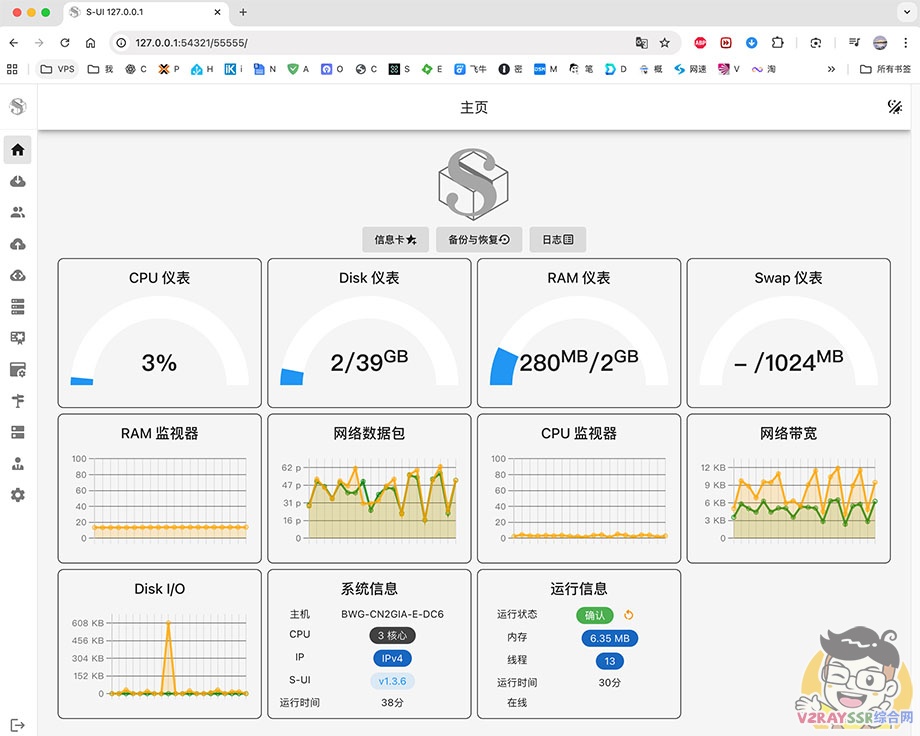
Panel TLS Setting templates / Inbound Setup / Add User
Refer to Video walkthrough detailing smoothly.
Client Usage
- macOS, Windows: V2rayN Open releases page
- Android: NekoBox Open releases page
- iOS/Mac: Shadowrocket (Outside zone AppleID required to download).
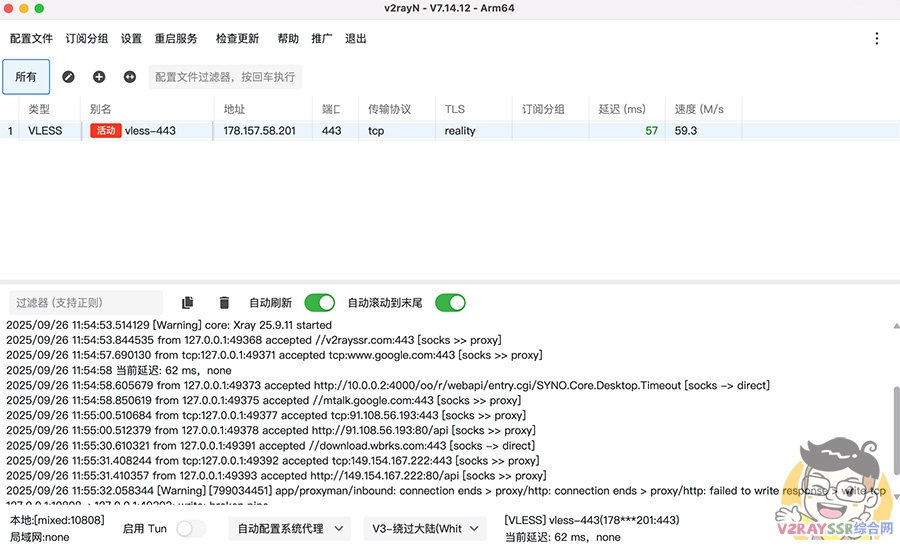
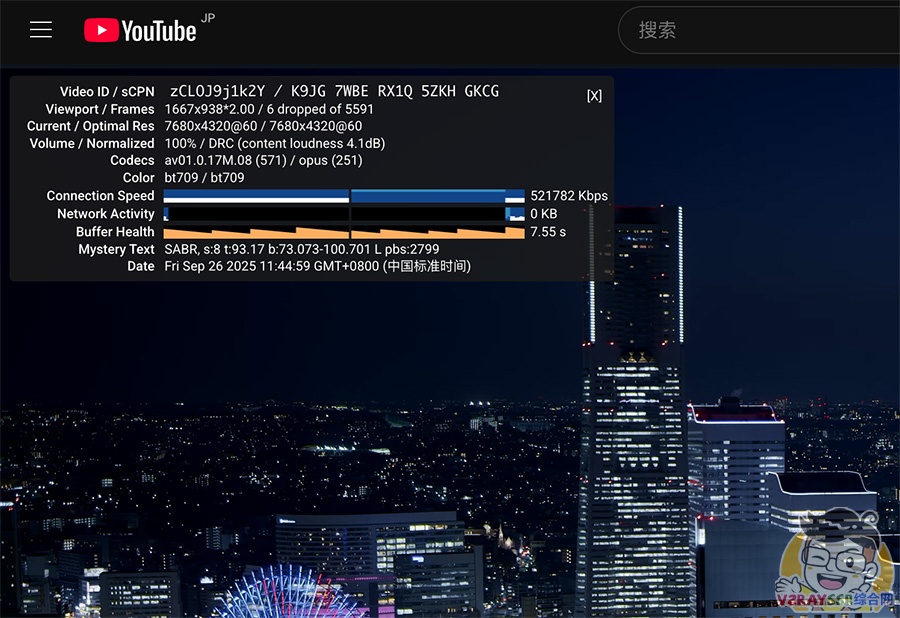
Speed Benchmark Image
Afterword
Reality protocol is simple yet detailing. Advantage leans heavily on no-cert, no-domain setups deploying cleans and cleanly cleanly.
Amid TLS throttling environments today, Reality picking up destination TLS echoes acts definitively better obscuration than standard proxy masks. But improper targets or clock offsets trigger failures. Maintain small, un-CDN’d target spec buffers and access remotely via tunneled secured logic initially bypassing sniffing probes accurately smoothly.